Wonderlaunchwonderlaunch

ClipTurn

Physically rotate videos from File Explorer—with verified, safe replacement.

The Problem

Sideways video files often display inconsistently because many tools only flip an orientation hint—or force creators to guess codecs and export settings. ClipTurn physically turns the picture and refuses unsafe changes, so results survive players, editors, websites and other devices.

Overview

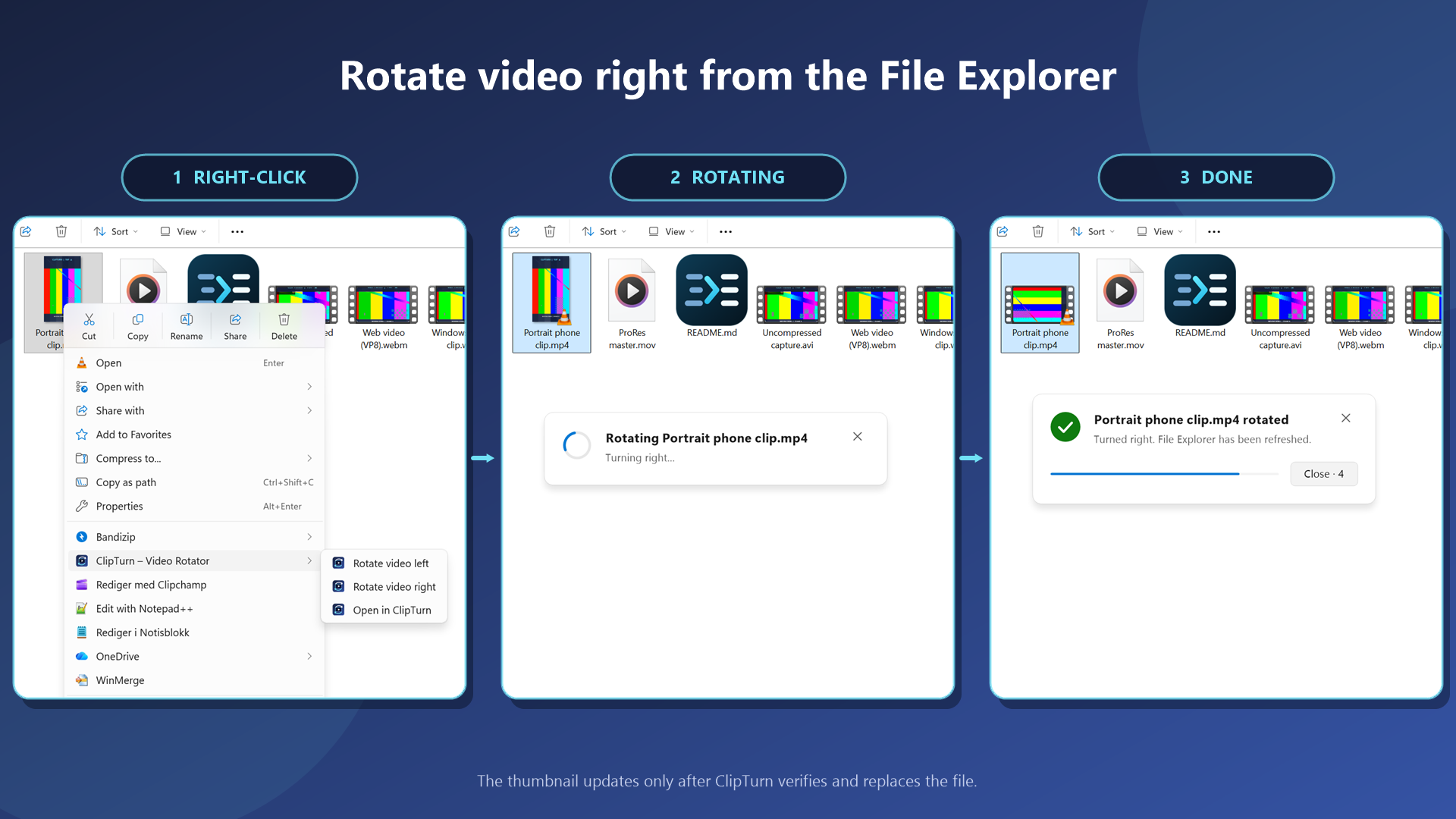
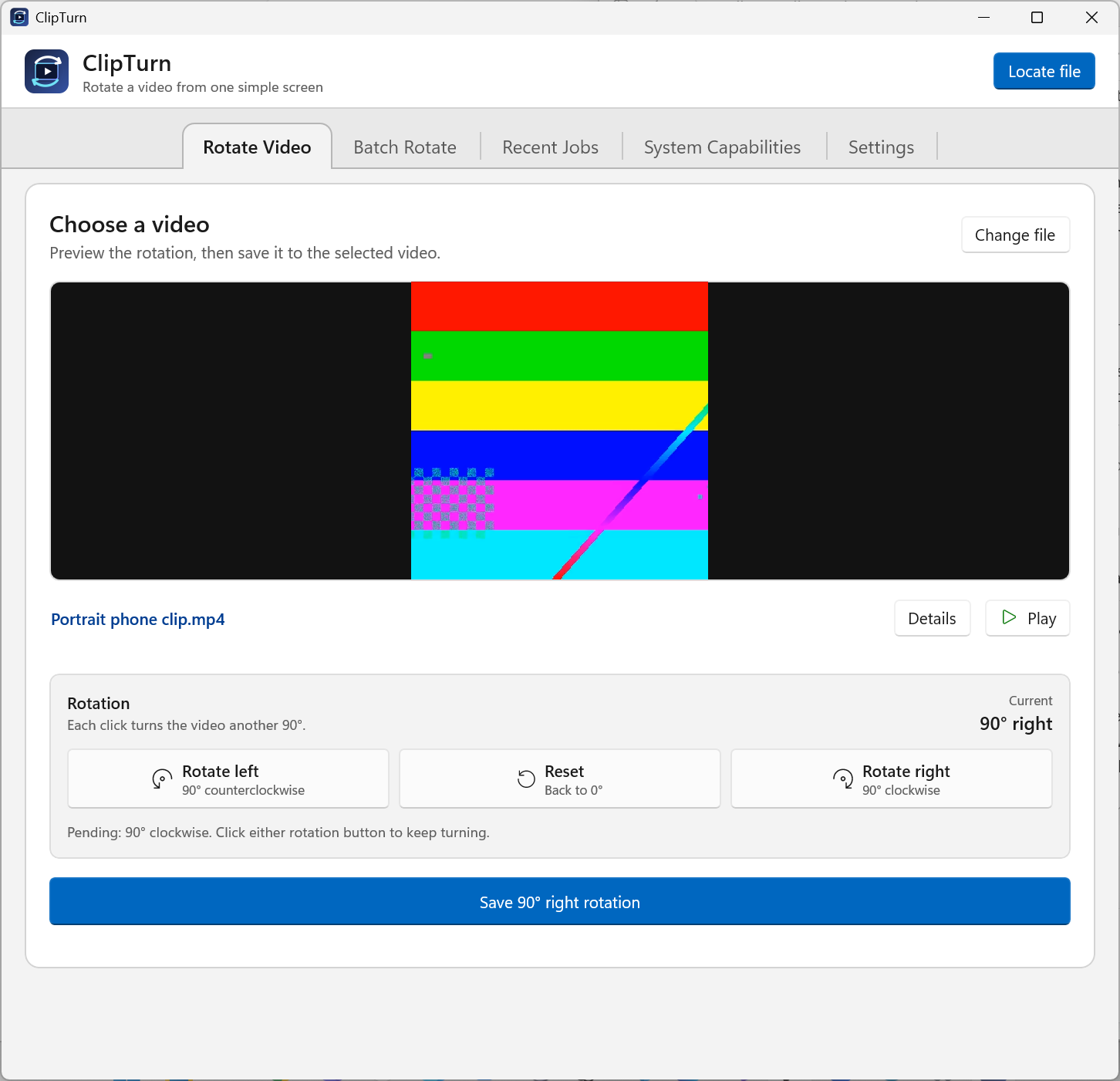
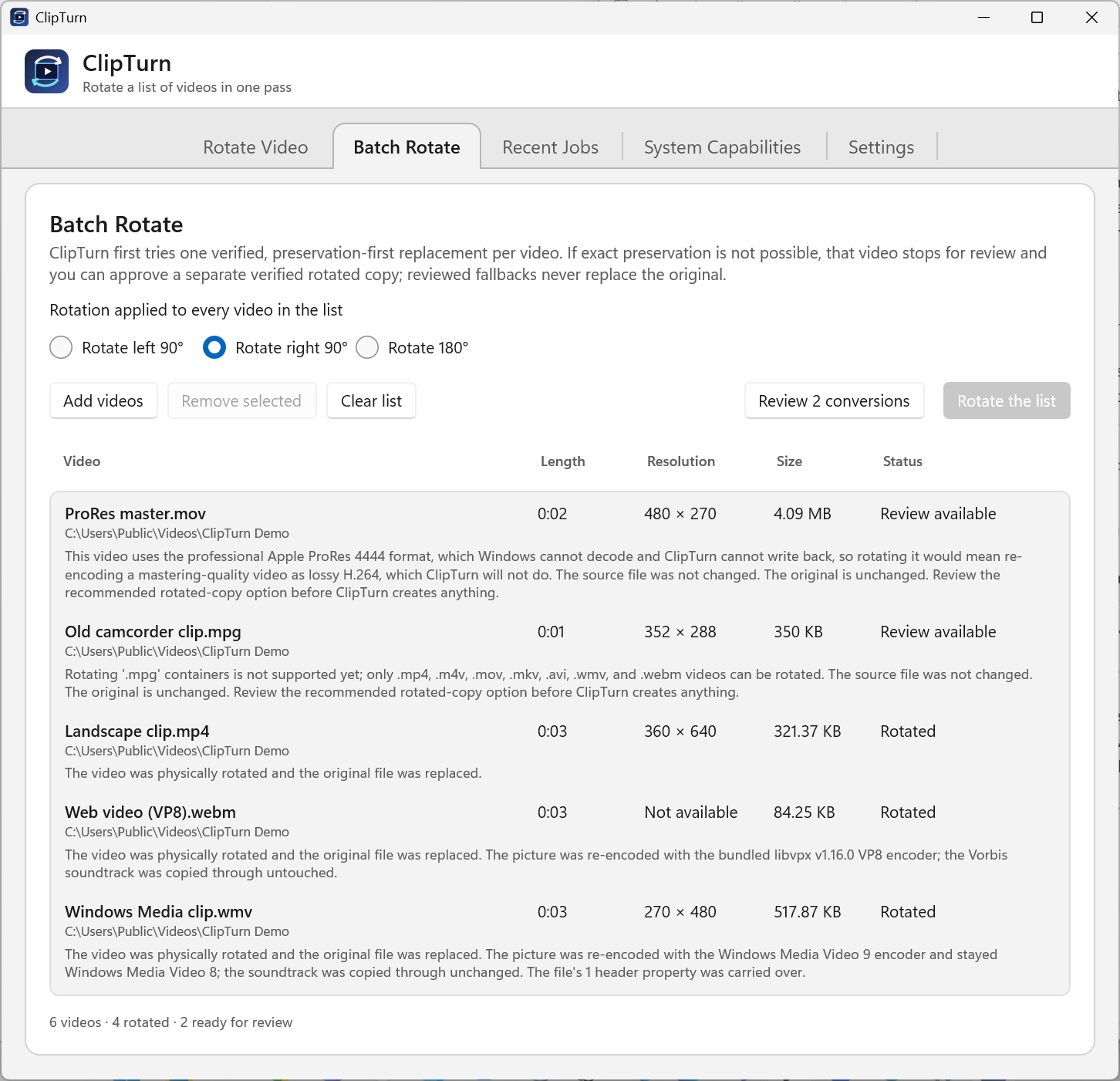
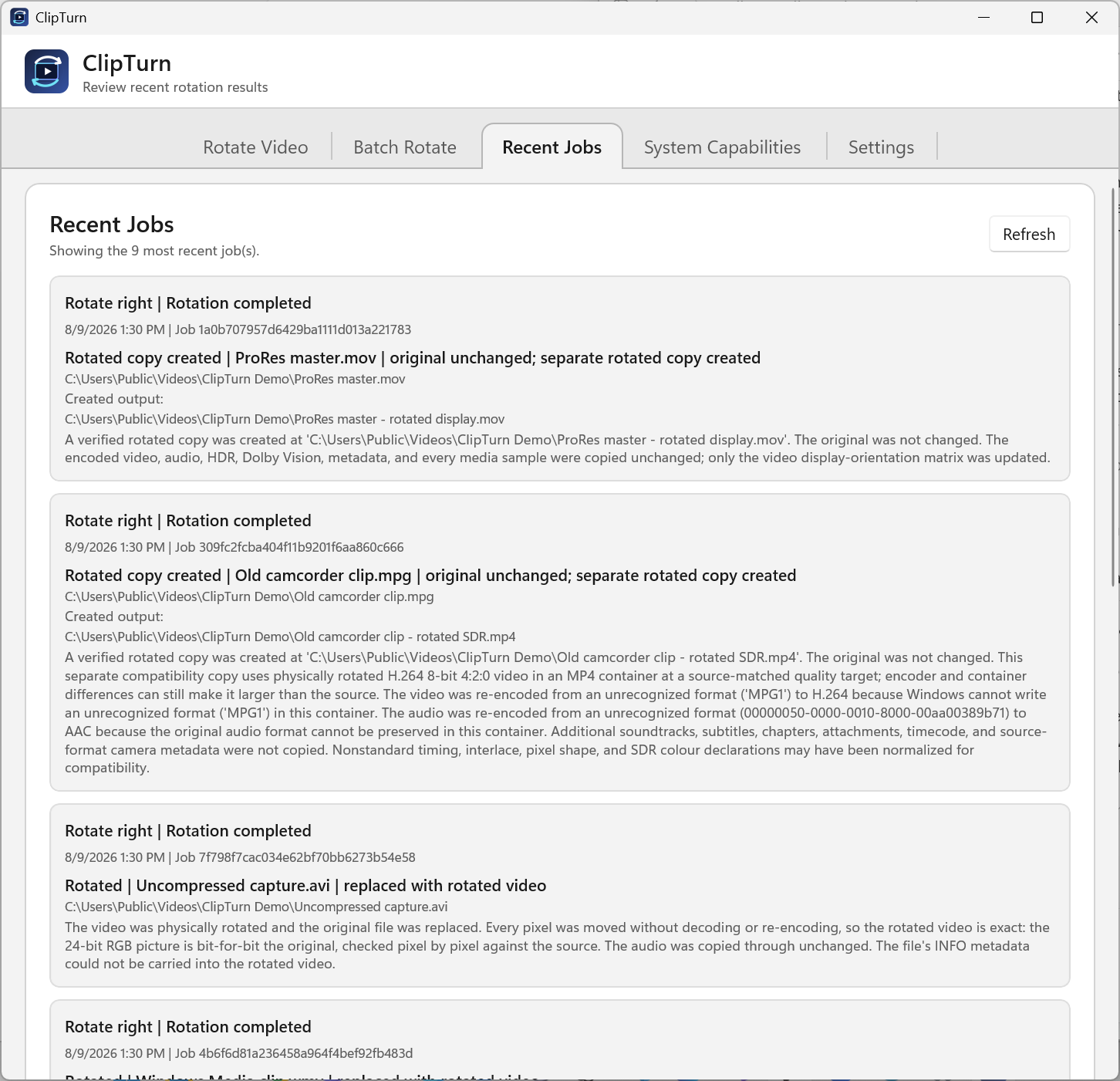
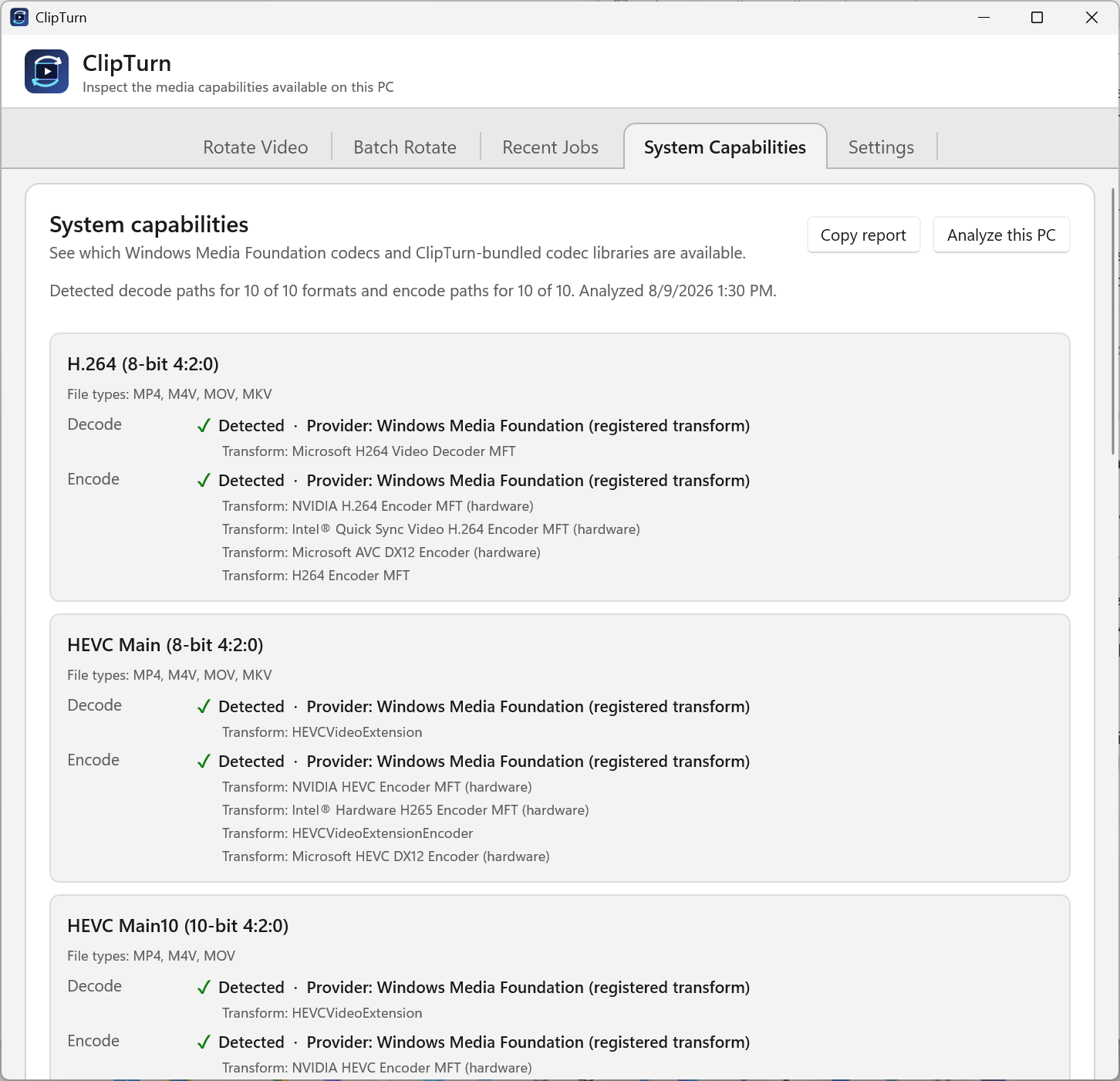
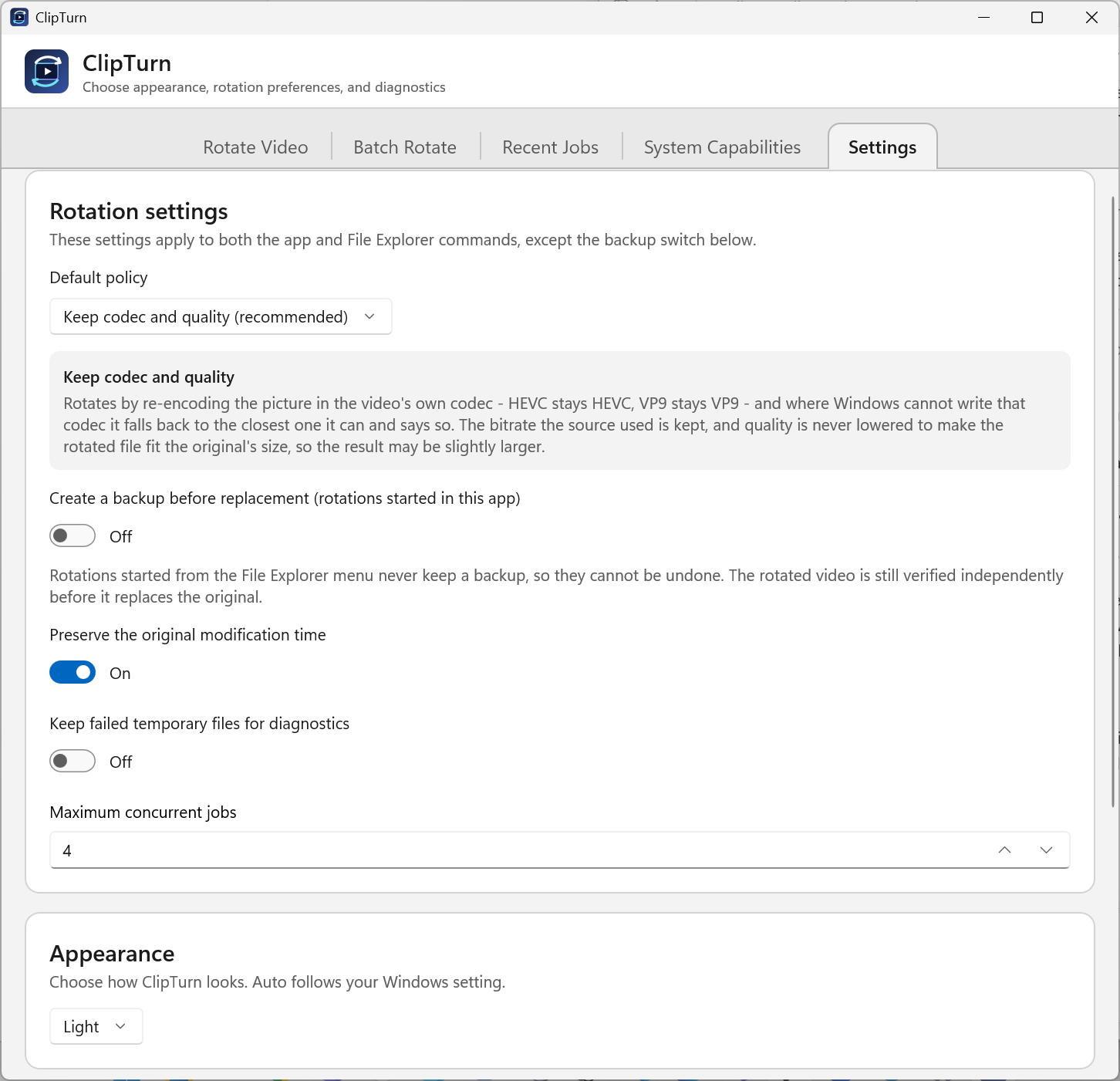
ClipTurn is a free Windows 11 video rotator that lets you right-click MP4, MOV, MKV and more in File Explorer to rotate the actual picture—not just a playback flag. It chooses a compatible processing path, verifies the candidate result before replacing the source, and preserves audio, metadata, subtitles, colour information and streams whenever it can prove they are intact. Use the app for preview-led single-video rotation, batch jobs, recent-job receipts, system-capability checks and reviewed-copy options when a safe replacement is not possible. Everything happens locally: no account, video uploads, ads or telemetry.

Feedback

Have feedback for the maker?

Sign in to leave a review, report a bug, or suggest a feature.

Visit ClipTurn

Submitted by

Fix Quotes

Fix Quotes

Developer with ~20 years of experience and a bachelor’s in cybersecurity. I specialize in building lightweight, privacy-first browser extensions.


Launch DateComing Soon
CategoryYouTube & Video Growth
PlatformWindows
Pricingfree

Spread the word

Help this maker reach the front page!

← Back

ClipTurn

Physically rotate videos from File Explorer—with verified, safe replacement.

🔥Launching In

00
HRS
00
MIN
00
SEC

🔥 0 makers waiting

Launching on Wednesday, August 12, 2026

Get notified the second we go live.

Fix Quotes

Meet the Maker

Fix Quotes

Developer with ~20 years of experience and a bachelor’s in cybersecurity. I specialize in building lightweight, privacy-first browser extensions.
Inside the Product

🔒

Reveals at Launch

Join Waitlist to get Notified

Overview

ClipTurn is a free Windows 11 video rotator that lets you right-click MP4, MOV, MKV and more in File Explorer to rotate the actual picture—not just a playback flag. It chooses a compatible processing path, verifies the candidate result before replacing the source, and preserves audio, metadata, subtitles, colour information and streams whenever it can prove they are intact. Use the app for preview-led single-video rotation, batch jobs, recent-job receipts, system-capability checks and reviewed-copy options when a safe replacement is not possible. Everything happens locally: no account, video uploads, ads or telemetry.

The Vision

Sideways video files often display inconsistently because many tools only flip an orientation hint—or force creators to guess codecs and export settings. ClipTurn physically turns the picture and refuses unsafe changes, so results survive players, editors, websites and other devices.