Impact-Site-Verification: 1e78237b-3fa7-4806-bddb-9f005f43c040
directree-verify=901579de7df1146af265cf42401d3f68
Wonderlaunchwonderlaunch

Flux 3 Video Generator

Generates up to 20‑second videos with native audio from text, images, or clips.

The Problem

It eliminates manual storyboarding and frame‑by‑frame animation for short ads and product clips by turning concise prompts, images, or reference clips into timed video with synchronized audio, cutting iteration time and reducing reliance on external editors.

Overview

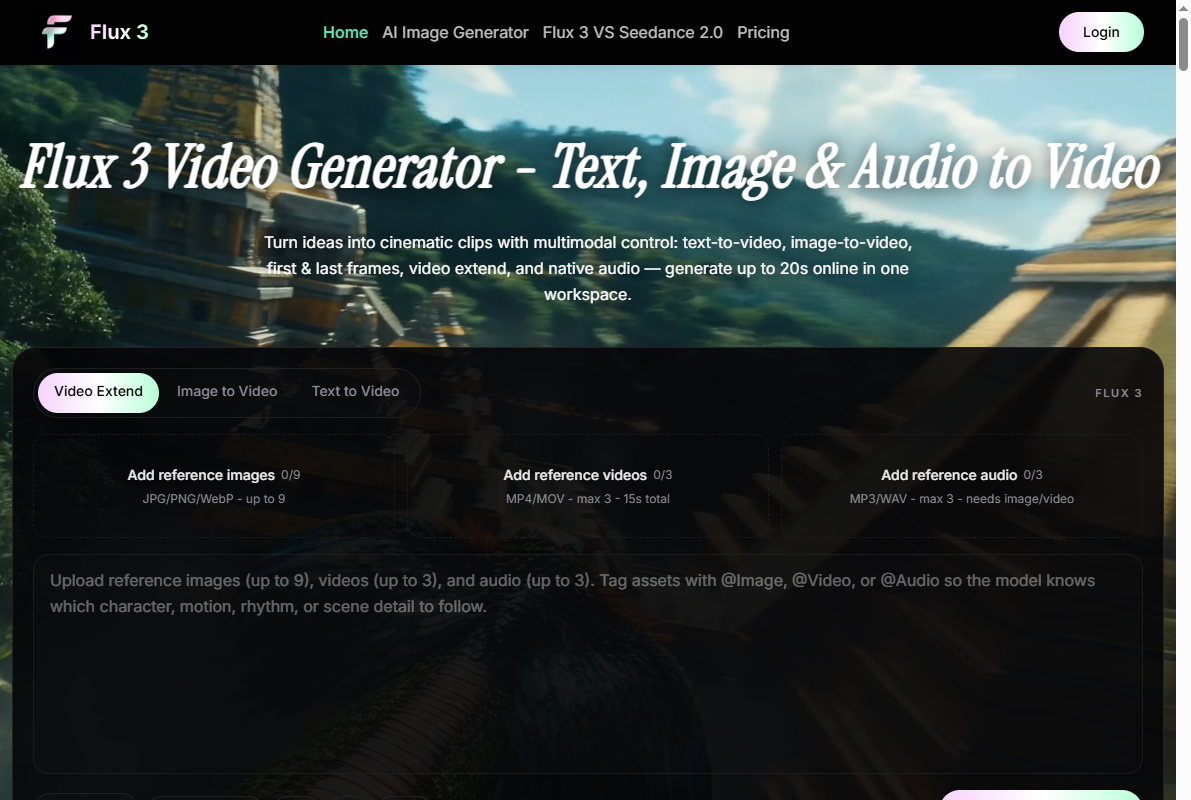
Flux 3 Video Generator is a web tool that produces up to 20‑second video clips with native audio from text prompts, reference images, or existing video clips. It accepts a structured prompt describing subject, action, setting, camera moves, visual style, and audio cues, then forwards these parameters to the FLUX 3 multimodal model. Users choose among four modes—text‑to‑video, image‑to‑video, video‑extend, and first‑and‑last‑frame—each of which builds a temporal sequence while respecting constraints such as fixed elements or keyframes. Audio direction is added in the same prompt, specifying ambience, sound effects, music mood, or dialogue, resulting in synchronized sound generation. The output video can be downloaded, and the workflow allows prompt edits and re‑generation without additional setup, enabling rapid iteration within a credit‑based usage model.

Feedback

Have feedback for the maker?

Sign in to leave a review, report a bug, or suggest a feature.

Visit Flux 3 Video Generator

Submitted by

Luka Fabry

Luka Fabry

Launch DateComing Soon
CategoryAI Image & Video
PlatformWeb
Pricingfree

Spread the word

Help this maker reach the front page!

← Back

Flux 3 Video Generator

Generates up to 20‑second videos with native audio from text, images, or clips.

🔥Launching In

00
HRS
00
MIN
00
SEC
Luka Fabry

Meet the Maker

Luka Fabry

Overview

Flux 3 Video Generator is a web tool that produces up to 20‑second video clips with native audio from text prompts, reference images, or existing video clips. It accepts a structured prompt describing subject, action, setting, camera moves, visual style, and audio cues, then forwards these parameters to the FLUX 3 multimodal model. Users choose among four modes—text‑to‑video, image‑to‑video, video‑extend, and first‑and‑last‑frame—each of which builds a temporal sequence while respecting constraints such as fixed elements or keyframes. Audio direction is added in the same prompt, specifying ambience, sound effects, music mood, or dialogue, resulting in synchronized sound generation. The output video can be downloaded, and the workflow allows prompt edits and re‑generation without additional setup, enabling rapid iteration within a credit‑based usage model.

The Vision

It eliminates manual storyboarding and frame‑by‑frame animation for short ads and product clips by turning concise prompts, images, or reference clips into timed video with synchronized audio, cutting iteration time and reducing reliance on external editors.